

See the attribution of one model
Open the Attribution tab of a model detail page to read the Attribution sections for one config, without the other models of your workspace.
The Attribution tab of a model detail page shows the Attribution results of one config only. Use the tab when you want the figures of one model without the other models of your workspace.
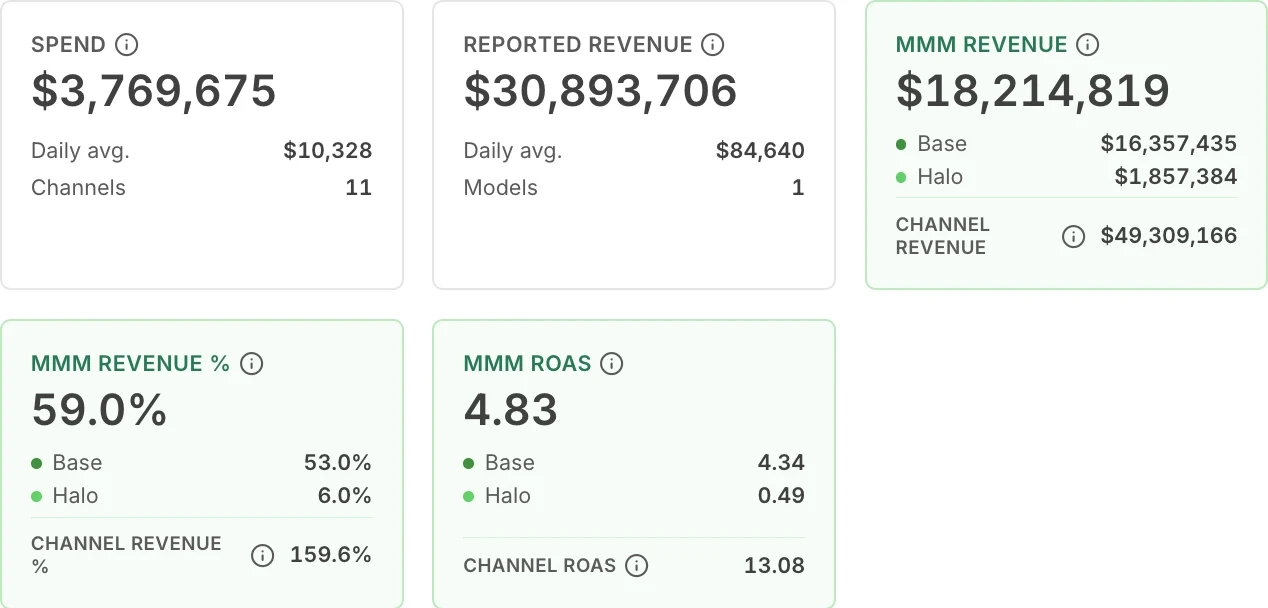
The capture shows the summary cards at the top of the Attribution tab of a model.
Open the Attribution tab
Section titled “Open the Attribution tab”-
Select Model Center in the sidebar.
-
Select the card of the model.
-
If the model has more than one config, select the config in the header row.
-
Select the Attribution tab.
What does the tab show?
Section titled “What does the tab show?”The tab shows the same sections as the Attribution page, for this one config: the summary cards, Base & Halo Flows, Attribution Over Time, and the Performance Table.
The tab has no filter bar. The period comes from the period selector in the page header. The target is the target of the config that you opened.
Each section works as it does on the Attribution page. For the cards and the columns, see these pages.
- Metrics and summary cards
- Attribution Over Time options
- Performance Table options
- Base & Halo Flows options
Next steps
Section titled “Next steps”- Modeled and reported figures: why the page shows more than one figure for an outcome.
- Compare two configs: see how two configs of a model differ.