

Change the display currency
Steps for an Admin to pick the currency of a workspace, and what the choice does and does not do to the amounts that you see.
The display currency is the currency that labels each money figure in your workspace: spend, revenue, and cost-per metrics. A workspace has one display currency. Only an Admin can change it.
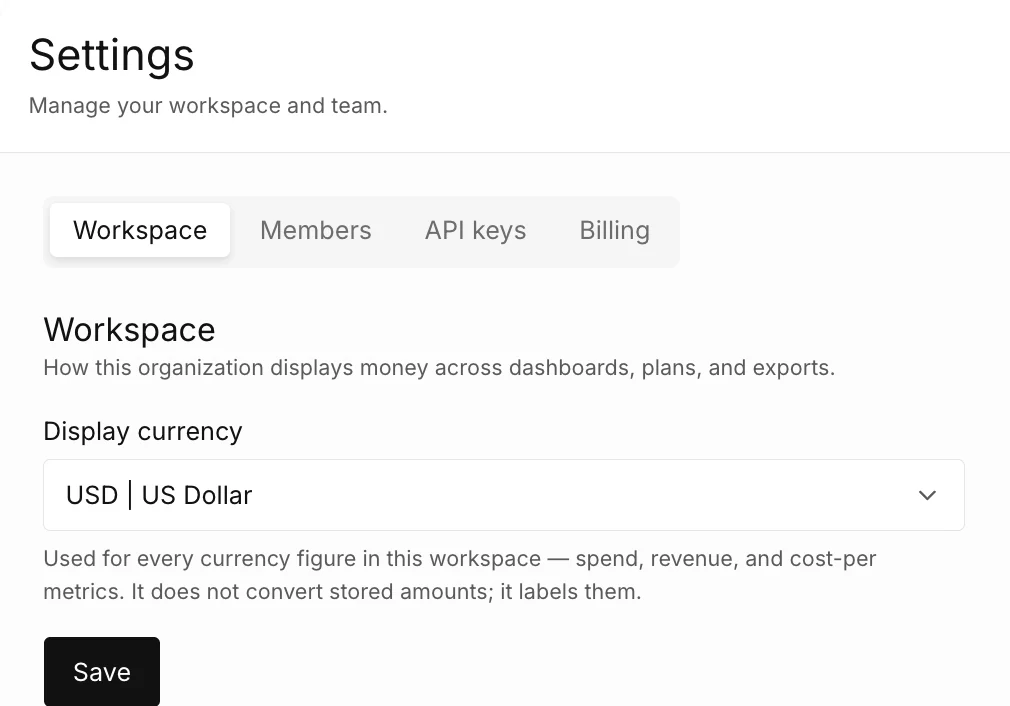
The capture shows the Display currency selector on the Workspace tab.
How do you change the display currency?
Section titled “How do you change the display currency?”-
Select the gear icon in the top bar. The Settings page opens on the Workspace tab.
-
Select a currency in Display currency.
-
Select Save.
The product shows Display currency updated.
Which currencies can you choose?
Section titled “Which currencies can you choose?”The list has 10 currencies. A new workspace starts with USD. For the list, see Settings and Account reference.
Why is the field disabled?
Section titled “Why is the field disabled?”You are a Viewer. A Viewer sees the display currency and has no Save button. Ask an Admin of your workspace to change it.